
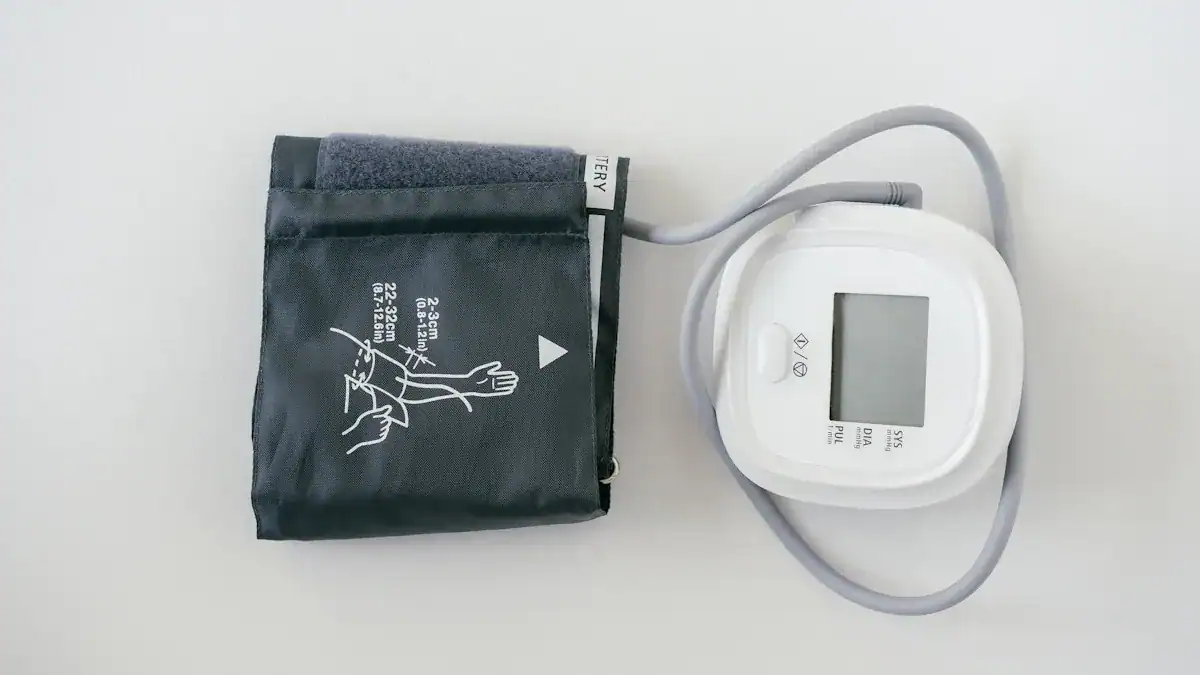
Can you recalibrate your Omron Blood Pressure Monitor yourself? Generally, you cannot directly recalibrate your Omron blood pressure monitor at home. These digital blood pressure monitor devices come factory-calibrated and sealed for precision, a design that prevents user intervention. Ensuring your home blood pressure monitor provides accurate readings is vital, as even small differences in readings can significantly impact your health management.
For example, clinic blood pressures were often 6.2/3.9 mm Hg higher than standardized readings, a difference that led to a 57% misclassification of hypertension. Accurate measurement from your blood pressure monitor is crucial for proper health assessment.
Key Takeaways
You cannot recalibrate your Omron blood pressure monitor at home. These devices are factory-calibrated and sealed for accuracy.
Ensure accurate readings by using the correct cuff size and proper measurement technique. Sit with your back supported and feet flat.
Watch for signs your monitor needs attention. These include inconsistent readings, frequent error messages, or if the device is over two years old.
Contact Omron support or a professional service if you suspect calibration issues. They can provide expert help or recommend a replacement.
Maintain your monitor’s accuracy long-term. Store it properly, clean it regularly, and get professional checks every two years.
Why You Can’t Recalibrate Omron Blood Pressure Monitor Yourself
Understanding Monitor Calibration
Calibration is a precise process. It ensures your blood pressure monitor gives accurate readings. Technicians compare your device’s measurements to a known, highly accurate standard. They then adjust the device if needed. This process requires specialized tools and expertise. It guarantees the blood pressure monitor performs correctly.
Omron’s Factory Design and Sealing
Omron designs its blood pressure monitors for precision. These devices receive calibration at the factory. Manufacturers then seal the units. This design prevents users from opening or adjusting the internal components. You cannot recalibrate your Omron blood pressure monitor yourself. Omron automatic blood pressure monitors do not require regular user calibration. These reputable automatic devices maintain accuracy as long as they work correctly.
Omron suggests accuracy checks every two years. These checks look for damage, like air leaks in the cuff. They also test the pressure sensor. This confirms the blood pressure monitor still provides accurate readings.
Risks of DIY Adjustments
Trying to open or adjust your digital blood pressure monitor creates risks. You could damage delicate internal parts. This damage makes the blood pressure monitor unreliable. It also voids your warranty. An improperly adjusted blood pressure monitor gives incorrect readings. These inaccurate numbers can lead to wrong health decisions. It is always best to leave calibration to professionals.
When to Suspect Your Monitor Needs Attention
You rely on your blood pressure monitor for important health information. You need to know when your device might not be working correctly. Several signs indicate your monitor needs attention.
Inconsistent Readings
You might notice your blood pressure monitor gives readings that do not make sense. For example, you take two readings a few minutes apart, and they differ significantly. This inconsistency suggests a problem.
A small 5 mm Hg measurement error can lead to incorrect hypertension classification for many people. Factors like a full bladder can cause a systolic blood pressure error of up to 33 mm Hg. Positioning your arm lower than heart level can lead to an error ranging from 4 mm Hg to 23 mm Hg. Some home blood pressure monitors can be inaccurate in 5% to 15% of patients. Readings were sometimes off by 15 or 20 mm Hg. In one specific case, a patient’s pressure reading was off by 21 mm Hg. These large differences mean you are not getting reliable data.
Persistent Error Messages
Your blood pressure monitor displays error codes when it detects an issue. These messages are important troubleshooting tips. For example, an “Error 1” often means the arm cuff did not inflate properly. This could be due to an unplugged air plug or incorrect cuff application. An “Error 2” indicates the monitor cannot complete a measurement after inflation. This often happens if you move or talk during the reading. An “Error 3” appears if the cuff inflates beyond the maximum pressure. An “Error 4” signifies movement or talking during a measurement. An “Error 5” means the monitor did not detect your pulse correctly. If you see these error messages frequently, your blood pressure monitor needs attention.
Device Age and Accuracy (Over Two Years Old)
Even a reliable digital blood pressure monitor has a lifespan. Internal components can degrade over time. This degradation reduces accuracy. Experts recommend you proactively replace a typical home blood pressure monitor after 3 to 5 years.
This timeframe applies even if the device appears fine externally. Frequent use, such as twice-daily measurements over five years, can accelerate wear. Replacing your blood pressure monitor within this period ensures continued accurate readings. Accurate readings are crucial for your health management.
First Steps for Accurate Readings
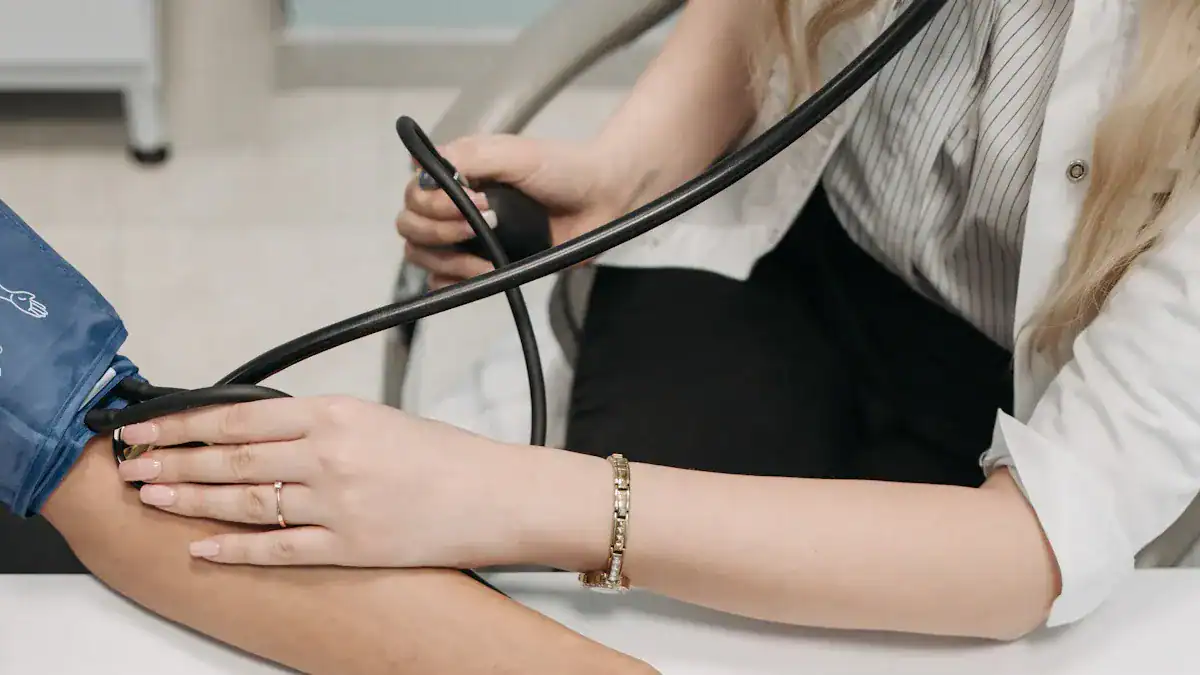
You want accurate blood pressure readings. You can take several important steps to ensure your digital blood pressure monitor provides reliable information. These actions help you get the most precise measurements possible. They are crucial for managing your health effectively.
Proper Cuff Size and Placement
The right cuff size is essential for accurate readings. A cuff that is too small or too large gives incorrect results. You need to measure your mid-arm circumference to find the correct size. Wrap a tape measure around your arm. Place it at the midpoint between your elbow and the bony point of your shoulder. Use this measurement to select the right cuff.
Cuff Size | Mid-Arm Circumference (cm) |
|---|---|
Small Adult | ≤26 |
Regular Adult | >26 to ≤34 |
Large Adult | >34 to ≤44 |
Extra-Large Adult | >44 |
Once you have the correct size, place the cuff properly. Position the cuff directly on your bare skin, not over clothing. The bottom edge of the cuff should sit about one inch above your elbow. The air tube should run down the center of your arm. A correctly sized and placed cuff helps your blood pressure monitor work as intended.
Correct Measurement Technique
Your body position significantly impacts blood pressure readings. You must sit correctly for an accurate measurement. Sit in a chair with your back supported. Keep your feet flat on the floor. Do not cross your legs; crossing them can increase systolic pressure readings by several mm Hg.
Your arm position is also critical. Support your arm on a table or desk. The middle of the cuff should be at heart level. This prevents gravity from affecting your readings. If your arm hangs unsupported or is below heart level, readings can appear artificially high. For some patients, like those who are obese, measuring forearm systolic blood pressure in a supine (lying down) or half-sitting position with the arm down can provide more accurate results compared to traditional upper arm measurements. Incorrect arm positioning can lead to significant errors:
Arm Position | Systolic BP Increase (mm Hg) | Diastolic BP Increase (mm Hg) |
|---|---|---|
Hand on lap | 3.9 | 4.0 |
Arm dangling at side | 6.4 | 4.4 |
Remain still and quiet during the measurement. Avoid talking or moving. These actions can cause your blood pressure monitor to give inaccurate readings. Follow these instructions carefully each time you take your blood pressure.
Battery Check and Environmental Factors
Low battery levels can severely affect your blood pressure monitor’s accuracy. You might see several signs if your batteries are low:
The device may not turn on.
The display might look dim or flicker.
Your monitor could shut down in the middle of a measurement.
A battery symbol often appears, telling you to replace or recharge the batteries.
One user reported falsely high readings, like 255/155 mmHg, when their digital blood pressure monitor had a low battery. After changing the batteries, readings returned to normal (around 122-128/78-80 mmHg). Low batteries can also prevent the cuff from inflating quickly enough, especially with larger cuffs or high systolic pressure. This leads to “time out” error codes because the monitor cannot complete the measurement within regulatory time limits. Always ensure your blood pressure monitor has fresh batteries or is fully charged.
Environmental factors also play a role. Take your readings in a quiet, calm room. Avoid extreme temperatures. Stress or anxiety can temporarily raise your blood pressure. Relax for a few minutes before taking a reading.
Resetting Your Monitor to Factory Settings
Sometimes, your blood pressure monitor might experience minor software glitches. A factory reset can resolve these issues. This process is not how to calibrate blood pressure monitor. It does not recalibrate the device’s sensors. Instead, it clears internal memory and restores default settings. Think of it as restarting a computer to fix a small problem.
To perform a reset on most Omron upper arm monitors, you generally hold the ‘Start/Stop’ button. Then, you press the reset option within the settings menu. Some models offer alternative steps to reset. You might remove the batteries and simultaneously hold a specific button. These instructions help clear any temporary errors. If you follow these steps to reset your device, it can often fix minor operational problems. This ensures your blood pressure monitor functions correctly, providing a good foundation for accurate readings.
Addressing Suspected Calibration Problems
You have taken all the initial steps. You still suspect your blood pressure monitor has a problem. You need to take further action. You cannot recalibrate your Omron blood pressure monitor yourself. Professional help is available.
Contacting Omron Support
Your first step should be to contact Omron customer support. They are experts on their devices. You can find their contact information in your monitor’s user manual or on the Omron website. Explain the issues you are experiencing. Provide details about inconsistent readings or persistent error messages. Omron support can offer troubleshooting advice. They can also guide you through the next steps. They will tell you if your device needs professional service or replacement.
Professional Services to Calibrate Blood Pressure Monitor
You cannot directly recalibrate your Omron blood pressure monitor at home. These devices require specialized equipment and expertise. If your monitor needs calibration, you must send it to a professional service. This process is how to calibrate blood pressure monitor for accuracy. Omron blood pressure monitors typically require out-of-house calibration. This means you send your device away for service.
Certified calibration services ensure your blood pressure monitor meets industry standards. They use precise tools to check and adjust the device. Many accredited labs offer a standard turnaround time of 5 to 7 business days for their calibration services. Some providers, like Garber Metrology, aim for a 5-business day turnaround.
They often achieve as little as a 3-day turnaround. Expedited services are also available if you need your device back quickly. PMS Instruments offers a priority turnaround time of 3-5 days for calibration upon receiving the equipment. They also provide a quick turnaround service, including courier collection. Always choose a certified calibration service. This ensures your blood pressure monitor receives proper care.
Warranty, Replacement, and Upgrade Options
Check your monitor’s warranty status. Omron offers warranties on its devices. The length of the warranty can vary by model.
Model | Monitor Warranty | Arm Cuff Warranty |
|---|---|---|
3 Series® Upper Arm Blood Pressure Monitor (BP7150) | 2 years | 1 year |
Platinum Upper Arm Blood Pressure Monitor (BP5465) | 6 years | 1 year |
If your blood pressure monitor is still under warranty, Omron may repair or replace it at no cost. Keep your proof of purchase handy. If your device is out of warranty, consider its age. A digital blood pressure monitor older than 3 to 5 years might be due for replacement. Technology improves over time. Newer models often offer enhanced features and accuracy. Upgrading can provide you with a more reliable blood pressure monitor. This ensures you continue to get accurate readings for your health management.
Maintaining Monitor Accuracy Long-Term
You want your blood pressure monitor to give accurate readings for a long time. Proper care and regular checks help you achieve this. You can take simple steps to keep your device in top condition.
Proper Storage Guidelines
How you store your blood pressure monitor matters. You should avoid extreme temperatures. Do not leave your blood pressure monitor in a hot car. Direct sunlight for long periods can also cause damage. Store your device in a cool and dry place. A climate-controlled area ensures stable conditions. This helps your monitor work best. Keep your blood pressure monitor away from water. Humid places like bathrooms or kitchens can harm its electrical parts.
Cleaning Your Device and Cuff
Regular cleaning keeps your blood pressure monitor hygienic and functional. For the device itself, use a soft, dry cloth. You can also use a cloth dampened with water and a mild detergent. Omron advises against abrasive or volatile cleaners. Do not use gasoline or thinners. For the arm cuff, remove the inflation bladder if possible. Wipe nylon cuffs with a damp cloth. You can wash cloth cuffs with a mild detergent. Always rinse thoroughly and air dry. Never iron the cuff. Do not wash or immerse the arm cuff or other parts in water.
Regular Self-Checks and Professional Review
You should regularly check your blood pressure monitor. Look for any visible damage. Check the cuff for leaks or wear. You should also compare your readings with those taken at your doctor’s office. This helps you spot any major discrepancies. All blood pressure monitors should ideally be recalibrated every two years by a professional service. This ensures continued accuracy. You should also consider professional calibration at least once a year. Do this especially if you use your digital blood pressure monitor frequently. Also, seek calibration if you drop the device or suspect damage. This proactive approach helps you maintain reliable readings for your health.
You cannot directly recalibrate your Omron blood pressure monitor yourself. However, maintaining accuracy is crucial for effective health management. Focus on proper usage, like correct cuff size and technique. Perform regular checks, including batteries and environmental factors. Understand when to seek professional assistance for your digital blood pressure monitor. Consider replacement options when your blood pressure monitor ages. Reliable readings are vital for your personal health. Always consult healthcare professionals for medical advice.
FAQ
Can I recalibrate my Omron blood pressure monitor at home?
No, you cannot. Omron monitors are factory-calibrated and sealed. They require specialized tools for calibration. Attempting DIY adjustments can damage the device and void your warranty.
How often should I check my monitor’s accuracy?
You should have your monitor professionally checked every two years. Also, compare your readings with those from your doctor. This helps ensure continued accuracy.
What should I do if my monitor gives inconsistent readings?
First, check your cuff size and placement. Ensure you use the correct measurement technique. You can also try to reset your monitor. If problems persist, contact Omron support.
How do I perform a factory reset on my Omron monitor?
Typically, you hold the ‘Start/Stop’ button or find a reset option in the settings. Refer to your instruction manual for specific instructions for your model. This clears minor software glitches.
What if my monitor is old and giving strange readings?
Monitors older than 3-5 years may lose accuracy. Consider replacing it. Newer models offer improved technology. This ensures you get reliable readings for your health.